NetGlobe · Windows & macOS
See every connection your computer is making, right now.
NetGlobe maps live network activity, checks it against threat-intelligence feeds, and gives you WHOIS, TLS, and trust-score detail on any connection, built as separate native apps for Windows and macOS, plus the full diagnostic toolkit: traceroute, MTR, speed tests, and port scanning.

By the numbers
Features
Four surfaces. One window.
NetGlobe unifies what used to be a stack of disconnected tools (netstat, traceroute, WHOIS, mtr, threat feeds, and speed tests) into a single interface. No browser tabs. No copy-pasting IPs. No alt-tabbing.

Live mapping & tracing
Real-time enumeration of every outbound TCP and UDP socket, geolocated against a bundled local GeoIP database, with no cloud lookups. Arcs are colored by encryption state to make unencrypted traffic visible at a glance, with hop-by-hop RTT and per-region averages on demand.
Threat intel & internet health
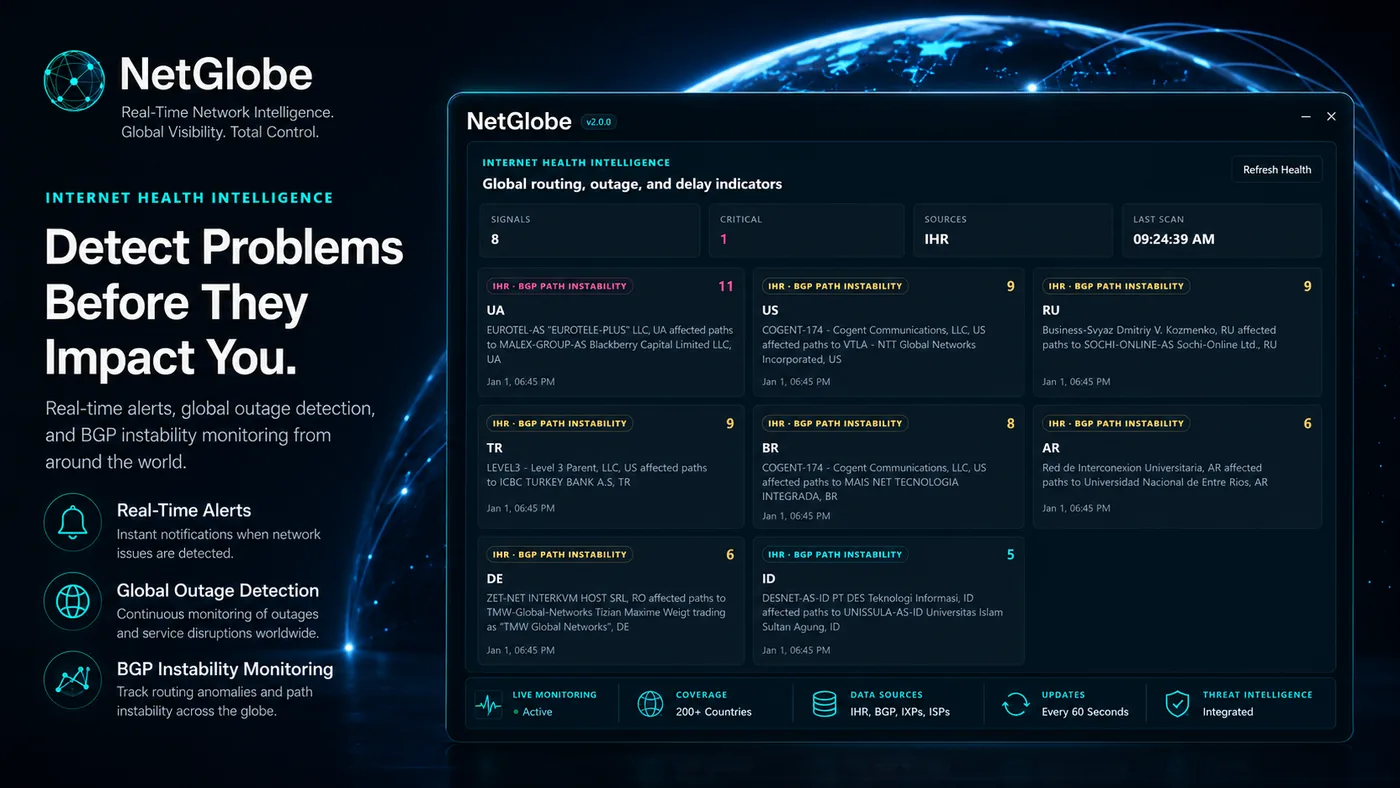
Every connection checked against FireHOL Level 1/2, Spamhaus DROP/EDROP, Tor exits, and ThreatFox IoCs. BGP and outage signals from IODA and IHR for the wider picture. Every feed URL is auditable, swappable, or replaceable with your own, and none are mandatory.
Live diagnostics
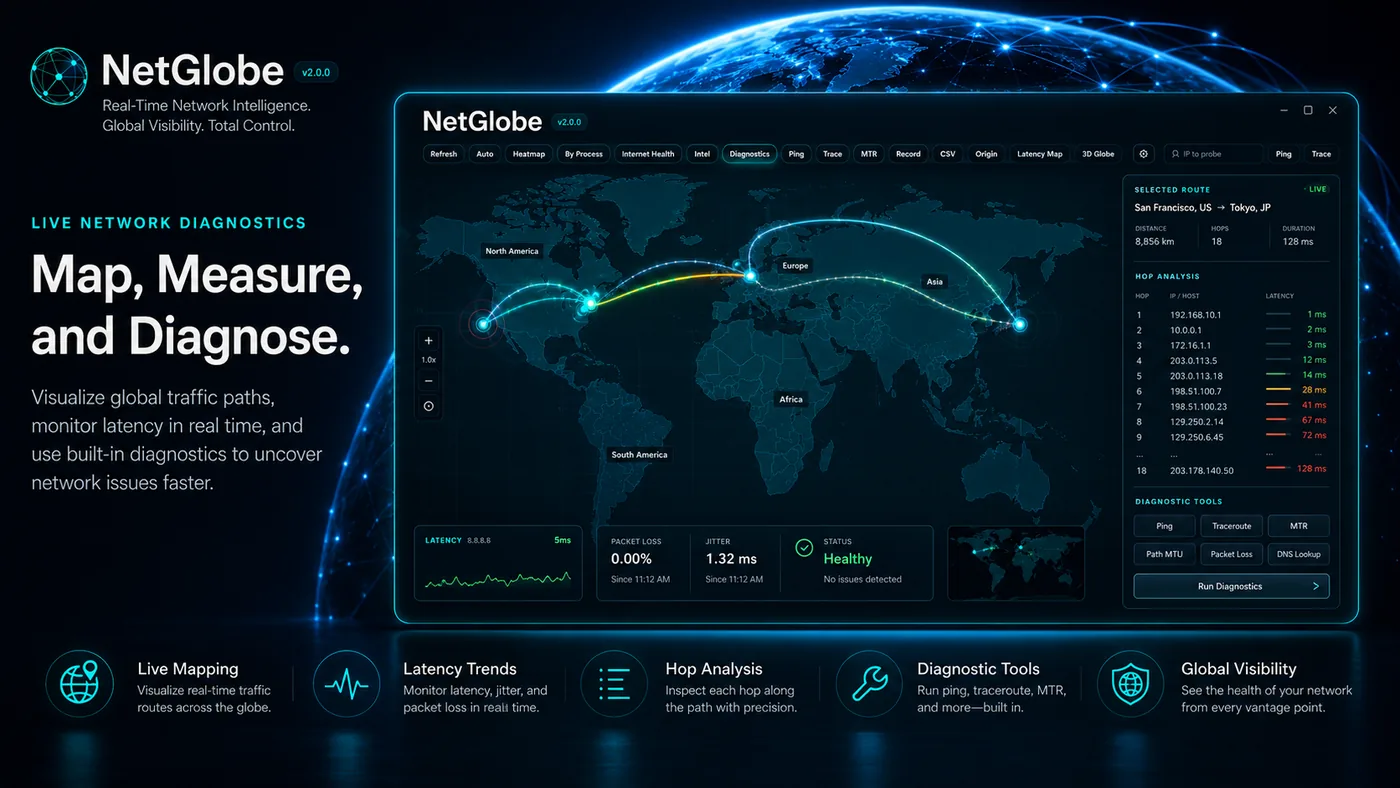
Visualize global traffic paths, monitor latency in real time, and run the network engineer's toolkit (ping, traceroute, MTR with continuous refresh, hop-by-hop loss/latency, path MTU discovery, and DNS lookups) without opening a terminal. Cloudflare-backed speed tests and optional iperf3 integration round out the suite.
Endpoint focus
Click any connection for WHOIS/RDAP, TLS certificate details (issuer, validity, SANs, ciphersuite), reverse DNS, and a trust score for the process that opened the socket, flagging unsigned binaries, svchost launches, and unusual install locations. One panel, no alt-tabbing.

Privacy by design
Your network data never leaves your device.
NetGlobe is a single binary that installs under your user profile with no admin prompt, no kernel driver, no NDIS hook. The GeoIP database is bundled and queried locally. No account creation, no cloud sync, no analytics beacons. Every outbound call is opt-in and listed in Settings.
Two native editions
Choose your NetGlobe edition.
Windows and macOS are separate native codebases built for their platforms, not one app compiled twice. Choose the Microsoft Store for Windows 10/11, or a direct one-time purchase for macOS on Apple Silicon and Intel. Both keep network analysis on your device, with no telemetry.
Support
Questions about NetGlobe?
Our team is here to help with installation, configuration, and product questions. The same engineers who built the app answer the email.