What gets stripped
What's hidden in your Word documents
FileSentinel surfaces the metadata embedded in your documents, such as author and editor names, timestamps, and other identifying properties, then strips it to a clean copy. Your original stays as it is.
Where it applies
- DOCX and DOC documents
- PDF exports of documents
- Other Office-format files
- Documents bound for external sharing
Why it matters
The trail you forgot was there
Word files carry a quiet trail of who wrote and edited them and when. Send a document externally and that trail goes with it, sometimes revealing internal names and history you never meant to share.
- Author, editor, and company names
- Creation and last-modified timestamps
- Template and file-path traces
- Other identifying document properties
How FileSentinel handles it
Reveal, clean, and keep a record
FileSentinel reads inside your files on your own machine, shows you the hidden metadata, and writes a clean copy you can share. Built-in detectors cover the common cases, and a custom rule builder lets you add plain-text or regex detectors for anything specific to your work.
FileSentinel reads the embedded metadata and shows you exactly what each file carries before anything is changed.
Strip the metadata to a clean copy in one click. Your original is left untouched.
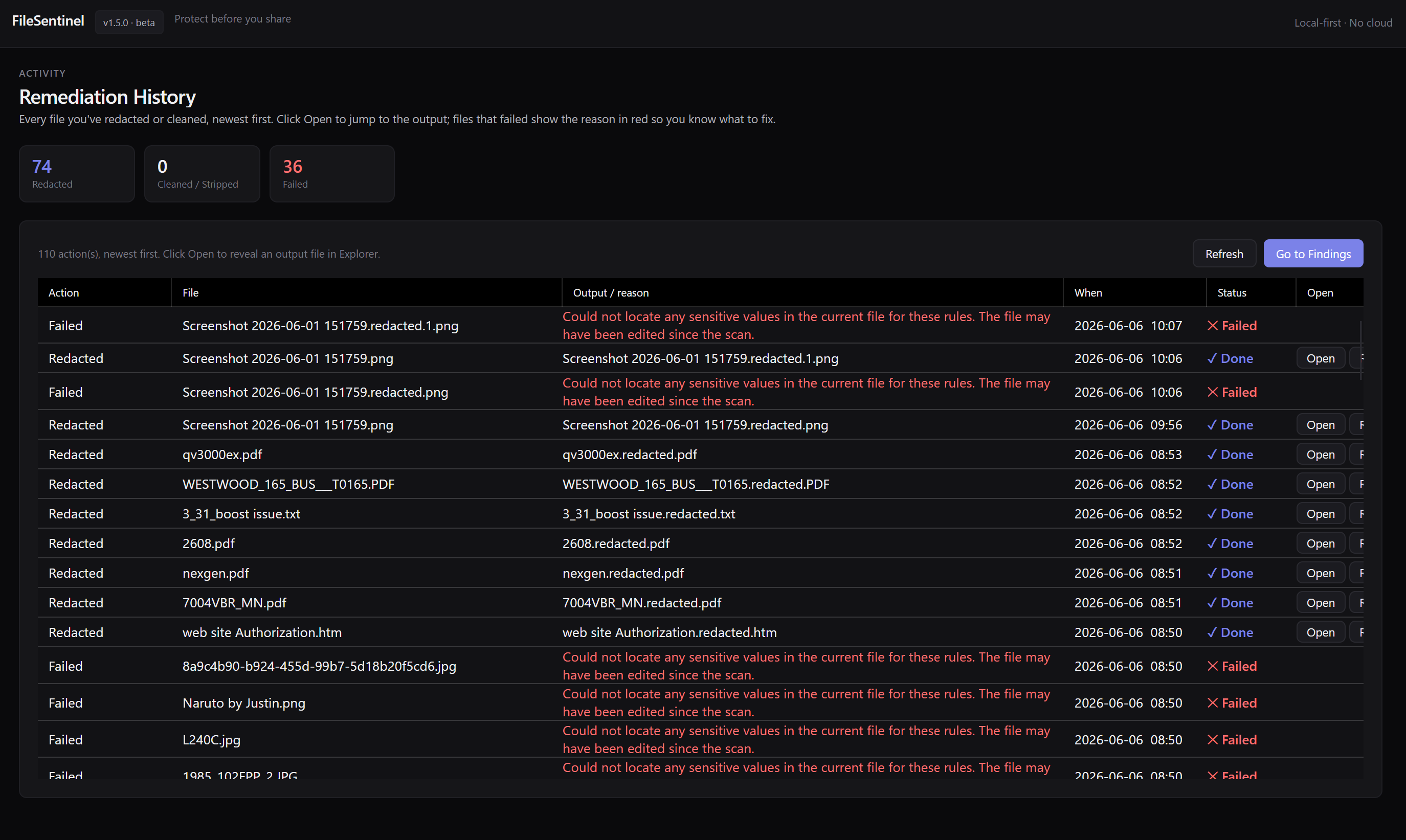
A remediation history records exactly what was removed and where, so you have a clear audit trail.
Private by design
Your files never leave your PC
Scanning, OCR, and remediation all happen on-device. FileSentinel makes no network connections to do its work, so the very data you are trying to protect never has to leave your machine to be checked. No server, no cloud, no upload step.
- 0 bytes uploaded
- No account required
- Works offline
More FileSentinel scanners
Remove document metadata FAQ
How do I remove hidden metadata from Word documents on Windows?
Install FileSentinel from the Microsoft Store, point it at the folder holding your Word documents, and run a scan. FileSentinel shows the embedded metadata, then strips it to a clean copy with one click, all on your PC.
Is removing metadata from Word documents private?
Yes. FileSentinel reads and cleans your Word documents entirely on your device. Nothing is uploaded and no network connection is made to do the work, so your files never leave your machine.
Can I clean a document without losing the original?
Yes. FileSentinel strips metadata to a clean copy and preserves your original, with a remediation history recording exactly what was removed so you can share the clean version with confidence.
How much does FileSentinel cost?
FileSentinel is available on the Microsoft Store for Windows 10 and Windows 11. Open the listing to see current pricing and install it in one click.